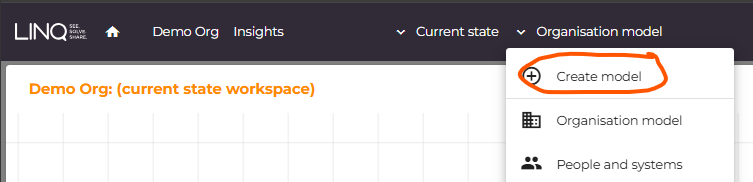
You can create your first model at the same time you create an organisation. You can create additional models by selection The model list from the main menu and selecting “Create model”.
You will be asked for a name, description and business function.
Using AI
You have the option to use AI to generate an initial model for you. When you create a new empty model, this option is available in a panel on the right of the screen, or it can be accessed from the toolbar

You will be asked to describe the business process and AI will attempt to create a model from that description. This will not exactly match your example and timing but does provide a great starting point.
Was this article helpful?
That’s Great!
Thank you for your feedback
Sorry! We couldn't be helpful
Thank you for your feedback
Feedback sent
We appreciate your effort and will try to fix the article