There are various ways to access help. Selecting the ‘?’ icon on the main menu provides various guides and tutorials.
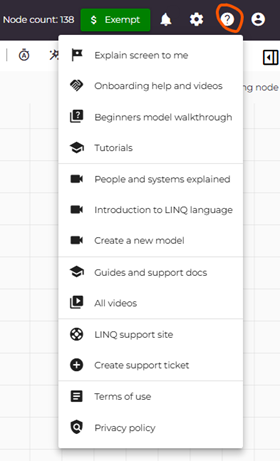
- Explain screen to me: highlights the various part of the screen explaining what each one does.
- Onboarding help and videos: Provides a set of help videos and descriptions
- Beginners model walkthrough: Guided tutorial to understand the mechanics of creating a model
- Tutorials: Video tutorials that guides you through creating your first model
At the bottom right of the screen is a button  that turns on/off help messages for the screen.
Was this article helpful?
That’s Great!
Thank you for your feedback
Sorry! We couldn't be helpful
Thank you for your feedback
Feedback sent
We appreciate your effort and will try to fix the article